


Are you building an app and confused between “native” and “cross-platform”? And now you’re stuck? Everyone has an opinion. Half of them are outdated, honestly, because this stuff changes every couple of years. Let’s just go through it properly.
What Is Native App Development?
‘Native’ means you build the app twice. Once in Swift (or Objective-C if you’re old school) for iOS. Once in Kotlin (or Java, if the team’s a bit dated) for Android. Two separate codebases, sometimes two separate teams working side by side, barely talking to each other except in standups.
It’s like stitching two outfits instead of one, each tailored exactly to the body it’s for. Takes longer, costs more, but fits better. Because native code talks directly to the phone’s OS, there’s no translation layer slowing things down. That’s why native apps usually feel that little bit smoother when you scroll, swipe, or open the camera. You know that feeling when an app just responds instantly? That’s usually native.
What Is Cross-Platform App Development
Cross-platform is the shortcut version, sort of, write the code once and ship it to both iOS and Android. Tools like React Native and Flutter make this possible, and honestly, they’ve gotten really good over the last few years.
One codebase. One team. Two app stores. That’s basically the whole pitch.
Is it as fast as native? Mostly yes, for regular apps like a food delivery app or a booking app. Is it as fast for heavy graphics or camera-based apps? Not always, and we’ll get into why.
Comparison Table: Native vs Cross-Platform
| Factor | Native App | Cross-Platform App |
| Codebase | Two separate ones | One shared codebase |
| Cost | Higher, roughly 1.5–2x | Lower |
| Development time | Slower (two builds) | Faster (one build) |
| Performance | Best, especially for heavy tasks | Good enough for most apps |
| Access to new device features | First to get them | Slight delay, catches up later |
| Maintenance | Double the work | Single update, pushed everywhere |
| Learning curve for teams | Need separate iOS/Android skillsets | One skillset (JS or Dart) works for both |
| Best for | Flagship apps, AR, gaming, fintech | MVPs, startups, content/booking apps |
That table alone probably answers 70% of the “which one” question people come in with. But let’s go deeper, because the other 30% is where people actually mess up their decision.
Where Native Wins (No Argument Here)
- Heavy graphics or gaming apps: native handles this way better, no contest
- Apps using AR, camera tricks, or live video processing
- Fitness or health apps syncing with wearables like Apple Watch or Wear OS
- Banking or fintech apps needing hardware-level security, like Face ID or fingerprint locks
- Apps that need to be first in line for new iOS/Android features the day they drop
Basically, if your app is squeezing every last bit of performance out of the phone, native isn’t optional. It’s kind of necessary at that point. You could try to force cross-platform to do it, but you’ll end up writing native code anyway for the tricky parts, so why not just start there?
Where Cross-Platform Wins
- MVPs and early-stage startup apps where you’re just testing if people even want this
- Content apps, news apps, catalogues, basically anything list-and-detail-page heavy
- Booking apps, marketplace apps, delivery apps
- Internal company tools that nobody outside your office will ever see
- Small teams or teams that already know JavaScript/React
- Anyone who needs to launch fast without burning the whole budget on version one
Most everyday business apps fall into this bucket, honestly. Not every app needs to squeeze the last 5% of performance out of a phone. Your local salon booking app doesn’t need Metal or Vulkan-level graphics rendering.
Cost Breakdown
| App Type | Native Cost Estimate | Cross-Platform Cost Estimate | Time Difference |
| Simple content/booking app | Higher, roughly 1.7–2x | Lower baseline | Cross-platform ships 6–8 weeks faster |
| MVP for a startup | Expensive for this stage | Budget-friendly | Cross-platform wins easily |
| Flagship app with heavy features | Justified spend | Often ends up needing native modules anyway | Native worth it here |
| Internal business tool | Overkill, usually | Perfect fit | Cross-platform, no debate |
| Ecommerce app with standard checkout | Costlier without much payoff | Handles it fine | Cross-platform, unless you need something very custom |
Numbers shift depending on scope, region, and who you hire, so don’t take these as exact quotes. But the pattern stays the same everywhere. Native costs more because you’re basically paying for two apps, not one, even if they look identical to the user.
Popular Frameworks
| Framework | Backed By | Known For | Best Fit |
| React Native | Meta | Used by Instagram, Discord, Shopify | Teams that already know JavaScript |
| Flutter | Used by BMW, Alibaba, Google Pay | Smooth animations, pixel-identical UI | Apps that need to look exactly the same on iOS and Android |
| Kotlin Multiplatform (KMP) | JetBrains/Google ecosystem | Shared backend logic, native screens | Experienced teams wanting best of both worlds |
React Native is probably the one you’ve heard the most about, mostly because so many companies use it and it’s been around a while. Flutter’s the newer kid that a lot of people are switching to because the apps just look really clean and consistent across both platforms. KMP is more of a “we know what we’re doing” option, not really something a first-time app team should jump into.
What Kind of Team Do You Actually Need
| Approach | Team You Need | Approx Team Size for MVP |
| Native (iOS + Android) | Separate Swift and Kotlin developers | 4–6 people minimum |
| Cross-Platform | JavaScript/React or Dart developers | 2–3 people |
| Hybrid (KMP) | Senior mobile devs comfortable in Kotlin and native UI | 3–4 people, more senior |
This is actually one of the biggest reasons startups lean cross-platform. It’s just easier to hire, and easier to keep the team small when you’re not sure yet if the app is even going to work out.
Common Myths People Still Believe
| Myth | Reality |
| Cross-platform apps always lag | Not anymore, that was more of a 2018 problem. Google Pay runs on Flutter and nobody complains about lag |
| Native is automatically more secure | Security is mostly about backend and data handling, not just which framework built the screens |
| You can’t push quick updates on cross-platform | Actually the opposite, one update, both platforms, done, no waiting on two separate release cycles |
| Cross-platform apps are only for small, unimportant apps | Big brands run cross-platform at scale, size isn’t the deciding factor, features are |
| Native is always faster to launch because it’s “simpler” | It’s actually the slower option to launch since you’re building everything twice, from scratch, on two different platforms |
Quick Decision Checklist
- Does the app need heavy graphics, AR, or camera-based features? → Native
- Are you testing an idea with limited funds? → Cross-platform
- Do you already have a web/JavaScript team? → Cross-platform
- Is this a long-term flagship product with real budget behind it? → Native
- Do both platforms need to launch at the same time, fast? → Cross-platform
- Will the app need deep integration with wearables or new OS features? → Native
- Is the UI mostly lists, forms, and a checkout page? → Cross-platform
If you answered “cross-platform” more than twice, that’s probably your answer. Most businesses land here anyway, and that’s not a bad thing; it’s just what makes sense for most use cases.
How to Decide: Native or Cross-Platform for Your App
- It genuinely depends on what your app is trying to do, who your users are, and how much runway you’ve got.
- If your app leans on the phone’s hardware, native is the safer long-term bet, even though it costs more upfront. You’ll thank yourself later when you’re not fighting a framework to get a feature working.
- If your app is more about content, bookings, or getting an idea in front of users quickly, cross-platform gets you there without draining your budget on version one. You can always rebuild parts of it in native later, once you actually know what your users want and which features are worth the extra investment.
- A lot of teams start with cross-platform just to test the market, then move specific parts of the app, like a camera feature or a payment flow, to native later. That’s not a bad strategy at all. Nobody says you have to pick forever on day one. Apps evolve, and so should your tech stack.
- Don’t pick a framework just because it’s popular right now. Popularity changes every couple of years. Pick based on your team, your budget, and what the app genuinely needs to do on day one.
Conclusion
So, native vs cross-platform app development – which one wins? Neither, honestly, it depends on your budget, your timeline, and what your app is actually trying to do. Native app development makes sense when performance and deep hardware access genuinely matter, think gaming apps, fintech apps, or apps syncing constantly with wearables. Cross platform app development makes more sense for startups, MVPs, and everyday business apps where speed to market and lower development cost matter more than squeezing out that last bit of performance. If you’re exploring mobile app development, Bangalore has no shortage of teams building both native and cross-platform apps, so the real work is figuring out which approach actually fits your product before you sign off on anything. Talking to a mobile app development company in Bangalore that’s worked on both sides usually helps too, since they can tell you pretty quickly whether your idea needs the extra investment of native or whether cross-platform will get you to market just fine. Pick based on what your app actually needs, not what sounds more impressive on paper, and you’ll end up with something users actually want to open again and again.
Next Post ←
App Store Optimisation (ASO): Your Complete Guide for 2026
Recent Blogs
-
 6 B2B Commerce Tre..
Remember when buyi..
-
 Ecommerce AI SEO: ..
Shoppers are askin..
-
AI Overviews vs Tr..
You search “how ..
-
 Top 10 Learning Ma..
10 learning manage..
-
 Native vs Cross-Pl..
Are you building a..
RELATED ARTICLES

6 B2B Commerce Trends Redefining How Companies Buy and Sell in 2026
Remember when buying something for work meant calling a rep, waiting two days for a quote, then chasing someone about…
November 4, 2026

Ecommerce AI SEO: How to Get Your Online Store Recommended by ChatGPT, Gemini and Other AI Tools
Shoppers are asking AI instead of Googling. Suppose you wanted a new mixer grinder last month. You’ll not search “best…
October 28, 2026

AI Overviews vs Traditional SEO: What’s Changed and How to Adapt
You search “how long does it take to boil an egg”, and Google just tells you. There is no clicking,…
October 24, 2026

Top 10 Learning Management Systems for Corporate (2026)
10 learning management system platforms, and let’s talk about what they’re good at, what annoys people about them, and who…
October 20, 2026

App Store Optimisation (ASO): Your Complete Guide for 2026
Open the App Store or Google Play right now and search for any random thing, say “budget app.” You’ll get…
October 12, 2026

ERP Life Cycle: 8 Key Stages Explained
There are stages in ERP, and if you skip or rush through them – which happens way more than vendors…
October 5, 2026

Odoo vs SAP Business One: A Detailed Comparison
So you’re stuck between Odoo and SAP Business One. These two keep showing up on every shortlist, and for good…
September 30, 2026

HubSpot vs Zoho vs Salesforce: Which One Is Right for You
Three CRMs, three very different personalities, and three very different types of businesses they’re meant for. There isn’t a “best”…
September 24, 2026

ERP vs CRM: What’s the Best Choice for Your Business?
ERP vs CRM: Which one is best for your business? People use them interchangeably sometimes, which honestly makes things more…
September 21, 2026

Debunking 8 Common WordPress Security Myths
Type “is WordPress safe” into Google and you’ll find no shortage of scary opinions. WordPress isn’t secure. You need a…
September 16, 2026

Ecommerce Accessibility: Why It Matters More Than Ever
What if you’re on a website, trying to buy something simple, and suddenly nothing works the way it should. A…
September 10, 2026

How Post-Purchase Experiences Build Customer Loyalty
Most businesses spend all their energy trying to get a customer to buy. Ads, offers, follow-up messages, everything is built…
September 7, 2026

What Is the Sitecore MVP Program? How to Become One (Step-by-Step Guide)
Have you ever seen someone put “Sitecore MVP” in their LinkedIn bio and wondered what that actually means? You’re not…
September 3, 2026

ECommerce Website Optimization Guide: Strategies To Boost Conversions
Do you notice how some online stores just feel easy to shop on, while others make you want to give…
September 1, 2026

Ecommerce Website Maintenance: 15 Things to Check After Launch
Launching an ecommerce website is an important milestone, but it is not the end of the project. Once a store…
August 21, 2026

Ecommerce Website Migration: How to Switch Platforms Without Losing SEO or Sales
Moving an online store to a new e-commerce platform can solve performance, scalability and functionality problems—but migration also introduces technical…
August 18, 2026

How to Choose an Ecommerce Website Development Company in Bangalore
Choosing an ecommerce website development company in Bangalore is an important decision for a business planning to launch, redesign, migrate,…
August 12, 2026

How to Reduce Cart Abandonment: Proven Solutions to Recover Sales
Ever notice how someone can fill up their cart with three or four items, seem all set to buy, and…
August 10, 2026

Top Signs Your Business Needs Odoo ERP Automation
Automation is the basic need of this generation and time. If your team is still typing the same customer details…
August 6, 2026

7 Benefits of Legacy Modernization
If your business is still running on software that was built 10 or 15 years ago, you probably already know…
July 31, 2026

How to Make Your Business Show Up in ChatGPT, Gemini, and Perplexity Answers
You can get the answer by yourself. Just open ChatGPT, Gemini, or Perplexity and ask a question about your business,…
July 27, 2026

SEO in 2026: How AI is Reshaping the Fundamentals of Search
Search has changed a lot lately. You’ve probably noticed Google giving you a straight answer before you even click on…
July 20, 2026

Swell Commerce vs Medusa.js vs Shopify: Which Headless Platform Should You Pick in 2026?
Picking a commerce platform these days is confusing. Every website tells you its pick is the best one. But there’s…
July 15, 2026

Ultimate Website Development Checklist for Businesses
So you’re building a website. Exciting. But also a little overwhelming. There’s a lot to think about, and it’s easy…
July 13, 2026

Best Ecommerce Platforms for SEO in 2026
Want your online store to show up on Google? Then your platform choice matters a lot. It’s not just about…
July 6, 2026

WooCommerce B2B Configuration: A Step-by-Step Guide
So you’ve got a WooCommerce store and you sell to both regular customers and businesses. You probably already know the…
July 2, 2026

M-Commerce: Applications, Advantages & Disadvantages
What Is M-Commerce? M-commerce means mobile commerce. It’s just a fancy way of saying, shopping or paying using your phone….
June 30, 2026

How to Make Your eCommerce Checkout Process Faster
80% of your sales are down because your checkout process is not smooth and fast. A customer found your store,…
June 23, 2026

How E-Commerce Businesses Thrive in 2026
E-commerce has changed a lot. And it’s still changing. But if you look closely at the businesses that are actually…
June 22, 2026

How Startups Can Build an MVP E-commerce App in 2026
Startups need to build an MVP e-commerce app to grow in the market. MVP is Minimum Viable Product. It’s the…
June 16, 2026

The Best WooCommerce Alternatives for E-commerce Stores in 2026
WooCommerce has been around for a long time. And honestly, it’s done a pretty good job. But if you’ve ever…
June 8, 2026

How to Get Your Product Pages Ready for Agentic AI
The way people shop online is changing fast. Instead of typing a query into Google and clicking through a list…
June 3, 2026

Agentic Commerce in Action Highlights From Google Cloud Next 2026
If you’ve been watching the AI space closely, you already know things are moving fast. But Google Cloud Next 2026…
May 25, 2026

How ERP Integrates with CRM and E-commerce Platforms
Running a business today means managing a lot of moving parts. Sales teams using one tool. Customer data is sitting…
May 21, 2026

Cost of Mobile App Development in 2026: Complete Breakdown
Planning to build a mobile app in 2026? The first question on every founder’s mind is: how much does it…
May 11, 2026

Top Mobile App Development Trends to Watch in 2026
Mobile app development just can’t stick to one trend. It’s a growing & developing sector. Where each developer and company…
May 6, 2026

How 5G Technology is Changing Mobile App Development
5G technology is the new trend in mobile app development. And the arrival of these technologies is doing magnificently in…
May 4, 2026

How to Choose the Right Magento E-commerce Company: 10 Key Considerations
Choosing the right Magento e-commerce company is tougher than it looks. You have tons of options. Every company promises the…
April 28, 2026

Why Every Business in Bangalore Needs a Professional Website in 2026
In 2026, every brand needs a website to grow, especially in a competitive city like Bangalore. This city moves fast….
April 23, 2026

What Is Custom Software Development?: Complete Guide 2026
In 2026, businesses don’t just need digital tools. They need solutions built around their exact processes, goals, and customers. Off-the-shelf…
April 17, 2026

The Complete Guide to Odoo Customization: Modules, Customization & Steps
Let’s be clear first. Odoo is not a plug-and-play miracle. Anyone telling you that is selling dreams. Odoo is powerful….
April 13, 2026

Custom CRM vs. Ready-Made CRMs: What’s Right for You?
Every business eventually hits this question. Should we build our own CRM? Or buy one and move on. On paper,…
April 7, 2026

Custom ERP vs. Off-the-Shelf ERP: Which is Best for Your Business?
Every business hits this crossroad. Systems slow down. Teams complain. Data lives everywhere. And someone finally says it. We need…
March 30, 2026

How Much Does Web Development Cost in 2026: In detail
Web development in 2026 is no longer a simple line item. It is a moving target. Costs change fast. Tech…
March 11, 2026

What is Test Observability in Software Testing? – Everything You Should Know
Software testing is no longer just about pass or fail. That mindset is outdated. Modern systems break in quiet ways….
March 3, 2026

AI Coding Agents vs Autocomplete: 5 Key Architecture Gaps
Autocomplete was never the goal. It was just the warm-up. For years, coding tools only guessed the next line. Helpful,…
February 18, 2026

DevSecOps Trends in 2026:All The Developers and Architects Must Know
Security is no longer a final step. It sits inside the pipeline now. Quietly. Constantly.In 2026, DevSecOps is not optional….
February 6, 2026

What Is Edge AI? A Simple Guide to On-Device AI
AI started in massive data centers. Far from users. Far from devices. That model worked. For a while. But it…
February 3, 2026

The Rise of Jamstack in 2026: Benefits and Real Use Cases
Web development in 2026 looks very different from a few years back. Websites are expected to load instantly now. Users…
January 29, 2026

Cross-Platform App Development in 2026: Complete Guide
Cross-platform app development in 2026 is no longer a trend. It’s a default choice. Businesses that still debate native vs…
January 22, 2026

15 Best Practices for Mobile eCommerce Sites for 2026
Mobile eCommerce is not the future. It’s already the default. By 2026, most users won’t even see your desktop site….
January 17, 2026

AI & ML in eCommerce: Benefits, Use Cases, and Best Practices
E-commerce is getting bigger day by day. And now it’s not just about listing products and running ads. It’s about…
January 12, 2026

7 E-Commerce Trends That Will Transform Shopping In The Future
Before we start, imagine this: It’s 2026. A customer opens an app. Doesn’t search. Doesn’t scroll. But the product finds…
January 5, 2026

What is AI-Powered Personalization in E-commerce, and How is it Transforming the Industry
The online shopping trend is growing exponentially. This surge has convinced businesses to rework their designs, layouts, and optimization strategies…
December 31, 2025

5 Key Ways AI Is Changing Enterprise Software Development in 2026
AI is changing pretty much everything, though, but let’s talk about the enterprise software development industry. The one thing AI…
December 30, 2025

How AI Is Transforming Mobile App Development in 2026
AI is taking place in every market, so how can mobile development stay behind? AI is becoming much more than…
December 22, 2025

Best Tech Stacks for 2026
In every business, tech stacks directly impact cost, scalability, hiring, performance, and long-term survival of any digital product. In 2026,…
December 17, 2025

How AI Will Change Website Development by 2026: Complete Breakdown
AI is evolving very fast, and it’s impacting every industry, including website development. Now, some websites are using AI to…
December 13, 2025

The Future of Healthcare Apps No One Is Talking About
The technology is evolving so fast that now we have multiple healthcare apps that are making our work as customers…
December 11, 2025

How On-Demand Grocery Apps Can Actually Win: Detailed Analysis
Quick commerce is the future of the world. And many grocery apps are delving into this trend or need, but…
November 29, 2025

How E-Commerce Businesses Can Prevent Fraudulent Transactions
Is online shopping safe nowadays? As a customer, every buyer takes responsibility for their own personal data and quality verification,…
November 25, 2025

How Odoo Powers Industry-Specific Solutions for Digital Transformation
Are you still managing all your business work manually? So you are missing out on something very interesting and important…
November 19, 2025

What Is Web Application Penetration Testing? Importance, Process, and Tools
Is your website secure? Do you want to know all the loopholes present in your website that can cause you…
November 11, 2025

Law Firm Website Design: Cost, Key Services, and Expert Tips
A law firm website should be trustworthy, legal, and should work based on ADA standards so that the website can…
November 5, 2025

Best Shopify Apps Every Store Owner Needs for Growth In 2025
Shopify apps are essential for every store owner looking to drive growth. Many store owners struggle with issues like abandoned…
October 30, 2025

How Agentic AI is Redefining the Future of Software Development
AI is the future of this techy world, and if you are not utilizing it in software development, you are…
October 27, 2025

How Software Development Costs Vary Across India, USA, Canada, UK, Dubai & Australia
Software development is the most important factor in every business for growth. And the main factor behind this development is…
October 13, 2025

Web Design in 2025: Trends Every Designer Should Watch
In 2025, the world is changing so fast, and trends are getting everyone’s interest with each blink of an eye….
October 10, 2025

Super App Design: Balancing Features & Simplicity
Phone storage is a real issue nowadays, and everything happening virtually through our phones makes it more challenging. We have…
October 8, 2025

The future of Magento: 2026 and Beyond
Is Magento still the proper choice for organisations in 2026? Magento is powering over 250,000 international online shops, which is…
September 29, 2025

Shopify Agentic Commerce: Complete Guide
E-commerce can’t remain the same for years; this is something that demands constant changes that are effective and helpful. Every…
September 26, 2025

Magento vs SaaS E-commerce Platforms: Which One Should You Choose?
Are you considering launching an online store but unsure which platform to use? Choose between Magento and SaaS? Your search…
September 23, 2025

How to Choose the Right eCommerce Platform for Your Business
Do you also own an online business in 2025 and want to choose the right eCommerce platform? Let’s explore this…
September 19, 2025

How to Know if WooCommerce is Right for Your Niche Business in 2025
Are you still wondering if WooCommerce is the right fit for your business niche? So let’s end this confusion. We…
September 15, 2025

How Pricing Intelligence is Transforming eCommerce in 2025
Is your profit decreasing unexpectedly? And are you wondering about the reasons behind it? This is the perfect time for…
September 11, 2025

Why Shopify Horizon Theme is the Best Choice for Stores (Summer’ 25)
Think like an online shopper: what do you want in 2025? Good speed, sleek design, and smooth navigation should be…
September 8, 2025

How to Build Medical Software in 2025: A Step-by-Step Guide
Have you ever considered how drastically technology can change, allowing you to access AI, data security, and patient care all…
September 1, 2025

Magento Upgrade & Website Revamp Guide 2025: Boost Security, Speed & Sales
If you own an eCommerce store and aren’t keeping it up to date, it’s like using a 3G phone with…
August 25, 2025

Shopify Website Redesign & Custom Product Templates: A Complete Guide
In this fast-paced world of e-commerce, your website is just an online store. So you are wrong. It’s your brand’s…
August 21, 2025

How to Develop an Astrology App Like Co-star: Step-by-Step Guide
No matter how modern the world becomes, one thing that can’t be ignored is astrology. People still believe in astrology…
August 18, 2025

How to Develop a Live Streaming App in 2025: Complete Roadmap
The world is growing very quickly, and in recent years, we have witnessed how live streaming is transforming from just…
August 14, 2025

ChatGPT Shopping: How AI is Shaping the New Age of Commerce
In this evolving world, we are surrounded by many options and often we choose the wrong one. Maybe you ask…
August 11, 2025

How to Develop Powerful Modern Web Apps Using React and .NET?
Do you want to build a web application that is fast, secure, and scalable? The only reasonable and reliable option…
August 6, 2025

iOS vs Android: A Complete Guide to App Development
The first question that comes to every developer, startup, and business mind while building a mobile app is Should we…
August 4, 2025

Website vs Web Application: What’s the Real Difference?
As soon as you decide to take your business online, the first question that comes to mind is “Should I…
July 25, 2025

How BigCommerce Enterprise Powers Business Growth at Scale
The growth of your online store doesn’t just come with good revenue, but also with numerous challenges to maintain high…
July 22, 2025

How to Redesign Your Website in 2025: A Complete Step-by-Step Guide
Is your website perfectly updated and not outdated for this highly techy digital world? A thought-provoking question, right? However, to…
July 14, 2025

Why Every eCommerce Website Needs a CRO Audit: Stop Losing Customers
Why is your revenue too low despite having enough traffic on your website? It means your SEO works perfectly, but…
July 8, 2025

Google’s AI-Powered Future: SEO Must-Dos Before 2026
Google is evolving too fast. In around three months, Google’s AI Mode went from an opt-in feature in Search Labs…
July 5, 2025

Developing Custom AI Web Apps Like Runway ML: Tools, Process & Examples
Do you want to run in this digital world where digital experiences are evolving faster than ever? So AI is…
June 30, 2025

Steps and Process for Successful Web Development
Nowadays, we use web apps as a basic and essential tool. Businesses seek ways to provide better services, streamline processes,…
June 26, 2025

How to Make Your Magento 2 Store Lightning Fast: A Step-by-Step Guide
In this techy and digital world, speed is not just a technical nicety; it’s a deal-breaker. A one-second delay can…
June 23, 2025

The Ultimate Guide to Shopify Plus A/B Testing for Higher Conversions
Want to make small changes to your online store that lead to big revenue jumps? It sounds impossible, but it’s…
June 20, 2025

The Best CRM Software for Small Businesses in 2025
Customer Relationship Management (CRM) is a business essential in 2025, it’s not a need or option anymore, it’s a necessity…
June 9, 2025

From Code to Deployment: The Role of AI in Modern Software Development
Artificial intelligence (AI) is no longer just a trend anymore it has become an integral part of modern software development….
June 3, 2025

Top 13 Crypto Web Design Tips & Best Practices
We live in a world where everything is digital. A website is more than a virtual thing; it’s your brand’s…
May 28, 2025

14 Best ECommerce Platforms: Grow Your Online Store in 2025
With so much of our world going digital at the speed we are, building a strong foundation of a robust…
May 26, 2025

From Personalization to Visual Search: 12 AI Applications Driving E-commerce App Success
If you’ve ever opened a shopping app and wondered, “How does it know so well what I want?” that is…
May 21, 2025

Best ERP Software for Construction Startups
Let’s be honest, starting a construction business today is not just about laying bricks and pouring cement. It’s about managing…
May 19, 2025

Building Trust with Ethical Software Development: Why It Matters?
With the current digital age, all businesses, big or small, depend on software. Whether it’s for data management, customer interaction,…
May 14, 2025

How to Choose the Right LMS For Your Business
We are living in the 21st century, a time where everything around us is going digital. From schools and colleges…
May 12, 2025

A Complete Guide to Custom Software Product Development for Businesses
We live in a tech-driven world, and today, it’s tough to survive in the market without the support of digital…
May 3, 2025

A Complete Guide to Cross-Border eCommerce: Everything You Need to Know
Cross-border eCommerce is your golden ticket if you have ever considered marketing your products internationally. It’s not just about translating…
April 11, 2025

Top 7 Game-Changing Features Every Social Media Apps Needs Today
In this modern era, the social media app space is super competitive. A new platform emerges every week, promising to…
April 8, 2025

Transitioning From Offline to Online: A Roadmap to B2B E-commerce Website Development
B2B e-commerce websites are vital for companies looking to streamline their buying and selling processes for today’s business landscape. These…
April 1, 2025

A Comprehensive Guide to Shopify Plus: Exploring the Key Benefits and Features
One of the initial steps to starting an effective online business store is launching and establishing your e-commerce store. Here,…
March 26, 2025

Introduction to Adobe Edge Delivery Services: Learn Everything from Top Features to Benefits for Your Business
In today’s high-tech online world, business organizations try to deliver seamless content and manage complex CMS systems. One such service…
March 24, 2025

Custom Software vs. SaaS: Choosing the Right Solution for Your Business
Many businesses struggle to choose between a ready-to-use software solution for quick, hassle-free implementation and a custom solution that perfectly…
March 17, 2025

WordPress 6.7 Release: Explore the New and Coming Updates, Features, and More
WordPress 6.7 was released on November 12th, 2024, and it includes new features, improvements, and other changes for users and…
March 11, 2025

A Comprehensive Guide to Corporate LMS: A Must-Have Training Platform for Every Business
Having skilled, well-educated, and experienced employees is essential for running a successful business. A company’s growth and customer satisfaction depend…
March 10, 2025

Empowering the E-commerce Business: How Our User-Centric Solutions Drive Your Organizational Success
E-commerce is one of the sectors that was less affected by the pandemic. By leveraging top-notch technologies, e-commerce business organizations…
March 4, 2025

HubSpot vs. Salesforce CRM: Head-To-Head Comparison in 2025
Salesforce Sales Cloud and HubSpot are the top industry-leading customer relationship management (CRM) solutions for optimizing sales processes, managing customer…
February 26, 2025

The Significance of Regular Website Maintenance for Your Business
Imagine running a thriving online business and your website is how you interact with your clients. You have spent much…
February 19, 2025

Node.js vs PHP: Choose the Right Platform for Your New Web Development Project
Do you also get confused about picking between Node.js and PHP for your next web development project? We are here…
February 12, 2025

The Role of Quantum Computing on Mobile App Development
The app development industry is undergoing significant changes. New technologies are emerging almost constantly and driving digital transformations in…
February 5, 2025

A Comprehensive Guide to the Cost of Travel App Development in 2025
In today’s digital age, travel apps have become essential for travelers worldwide, offering convenience and accessibility. However, entrepreneurs and businesses…
February 3, 2025

Why Next.Js is Effective? Know the Benefits For Your Business Growth
Every business needs new ideas to thrive in an ever-changing competitive landscape. Selecting the right technology can significantly impact the…
January 29, 2025

The Best Web Design Trends to Watch in 2025
Technology advancements have influenced website design trends for 2025. When examining 2025 web design trends, what was once popular in…
January 27, 2025

Shopify Vs. WordPress: Know Which is Better for Your E-commerce Store
In 2025 and the coming years, Shopify and WordPress will be the greatest options for business organizations to design online…
January 22, 2025

Top E-commerce Trends in 2025 To Shape the Online Shopping Future
In 2023, we saw e-commerce take center stage. In 2024, consumers requested more of everything, such as more sales, personalization,…
January 20, 2025

Checklist to Consider Before Choosing a Web Design Agency
A business succeeds with a strong online presence. A robust digital sight serves as a connection point for potential customers….
January 16, 2025

A Guide to Know Everything About Android App Development
Mobile applications have become an essential part of our daily lives in today’s technological world. They cater to several activities,…
January 14, 2025

Virtual Shopping Experience: Changing E-commerce Business Storefronts
Modern e-commerce continues to evolve alongside technology advancements and shifting market trends. There are distinct differences between traditional retail and…
January 11, 2025

Optimize Your E-commerce Online Store: The Essential Checklist
Optimize your e-commerce site for survival and success in today’s digital-first economy. The effectiveness of your site in delivering your…
January 8, 2025

Best Frameworks For Developing Cross-Platform Mobile Apps
In today’s digital world, business firms can reach potential buyers through devices such as desktops, tablets, mobiles, PCs, etc. With…
December 23, 2024

Popular Frontend Technologies to Consider in 2025
To learn about front-end development or select the tools for your new project, you will require the latest and most…
December 19, 2024

What is the Best E-commerce Single-Product Page Design?
In the e-commerce design, high-quality product content is essential for online purchase decisions. A product page has all the information…
December 6, 2024

Why Do You Require a Mobile App for Your E-commerce Portal?
The potential for e-commerce businesses is limitless. Today, more people are shopping online than ever, and this trend spans all…
December 4, 2024

What is Fashion E-commerce Mobile App Development?
In the current digital landscape, establishing a strong online presence is essential for businesses aiming for success, particularly within the…
November 28, 2024

The Best Strategies For Boosting E-commerce UI Design
Do you know the time visitors spend on a website before abandoning it? The answer is, ‘not so long.’ A…
November 22, 2024

Mobile E-commerce App Development Guide: Benefits, Trends, Features, and Cost
In a world where smartphones are almost an extension of ourselves, having a mobile e-commerce app has transitioned from a…
November 14, 2024

Top E-commerce CMS Solutions to Use In 2024
When you decide to shop, how often do you buy products online or get them in person? The e-commerce industry…
November 9, 2024

What is an E-commerce CMS? Know The Best CMS for Your Online Store and Why You Need One
Despite ongoing global economic uncertainty, e-commerce sales are experiencing robust growth, representing 14.3% of all retail sales worldwide. More notably,…
November 7, 2024

E-commerce Website Development: A Definitive Guide
A well-designed e-commerce site not only looks excellent but also works well. If done right, it leads to real sales…
November 5, 2024

The Advantages of Odoo: Benefits of Implementing ERP in Trading Business
Have you heard about Odoo? If yes. Then, you might know that it is one of the leading ERP systems…
October 23, 2024

How Adobe Commerce Helps You Go Composable
Many stores now choose composable commerce to provide customers with a better shopping experience. While this approach is effective in…
October 21, 2024

Hyvä Theme Release 1.3.6 & 1.3.7: Latest Updates for Faster Magento
Exciting news for all the Magento store owners. Hyvä Themes recently released its 1.3.6 and 1.3.7 updates. These new updates…
October 15, 2024

WordPress 6.6.2 Release: Your Guide to Features, Bug Fixes, and Other Highlights
A big announcement to the WordPress users. The latest release of WordPress, version 6.6.2, was launched on September 10, 2024,…
October 9, 2024

E-commerce Personalization: Create a Customized Adobe Commerce Experience
Personalization is the secret to unlocking the full potential of your online business store. It can increase conversions, expand enduring…
September 30, 2024

Shopify vs. WordPress: A Guide Comparing Features, Pricing, Security, and More
To launch your online business store, a business owner should have a strategic foundation starting with choosing the proper platform….
September 25, 2024

Shopify Ecosystem: Know the Trends and Innovations for Business Success
Shopify ecosystem is the backbone of business organizations providing them with the tools and services to succeed in the digital…
September 19, 2024

Healthcare Software Testing: A Beginner’s Guide to Ensure Data Security and Patient Safety
Software testing is the most important part of software development, but it is especially significant for healthcare software. Healthcare software…
September 13, 2024

Outsourcing Software Development: A Guide to Accelerate Your Business Growth
Want to keep up with the ongoing need for innovative software development? No innovation in your business leads to low…
September 6, 2024

5 Basic Considerations for Hiring An Android Development Company
In today’s mobile-centric world, developing your mobile application is essential. However, there are multiple challenges in discovering the best Android…
August 23, 2024

Odoo vs. Microsoft Dynamics: Advanced Functionality to Cater All Your Business Needs
Selecting the right Enterprise Resource Planning (ERP) system is critical for an organization to expand, enhance productivity, and automate processes…
August 20, 2024

How to Improve User Experience? 10 Best Practices to Know
The e-commerce industry has the fastest growth in the online digital world. It is a quick way of doing business….
August 14, 2024

E-commerce Marketing Strategies and Tactics to Follow in 2024
E-commerce retail sales are projected to reach $6.91 trillion in 2024, showing a 9.5% increase from the previous year. By…
August 5, 2024

The Major Differences and Benefits Between SaaS and Web Applications
Are you curious about what SaaS applications are? Want to know if all web applications are SaaS or not? Are…
July 3, 2024

Top 10 CRM Software: Features, Types, and Use Cases
CRM software can be a game-changer for your business, delivering massive returns on every dollar spent. The key is finding…
June 26, 2024

Why Should One Invest in SaaS Application Development
Investing in SaaS app development opens the door to a world of possibilities for your business. In today’s digital age,…
June 24, 2024

The Effects of Software Development Delay On a Business
Business organizations continually want to stay ahead of competitors’ curves and maintain an edge. Yet, one of the unnoticed software…
May 27, 2024

E-commerce Technology Stack: Unlocking Business Success in 2024
Want to know what holds your online business together, rather than your e-commerce website design company and its trusted team? …
May 23, 2024

Flutter Development: Know the Features, Trends, And Tools
Did you know? Flutter is used by two million developers worldwide. In this ever-evolving digital landscape, staying on top of…
May 17, 2024

Benefits of Salesforce Development Solutions for Business
The number of companies providing consulting services for Salesforce has increased with the growth of Salesforce’s business development. Choosing the…
May 8, 2024

Performance Testing: A Comprehensive Guide to Optimize Software
Retailers use their websites to engage customers, promote business, and conduct online transactions. Websites must be prepared to avoid user…
April 29, 2024

Top 7 Factors to Drive Your E-commerce Business Success
The e-commerce business’s success depends on the website’s effectiveness. A user-friendly and fully designed website delivers a positive impression, builds…
April 22, 2024

How to Develop the Best E-commerce Customer Experience in 2024
If you have been running an e-commerce company for a long time, you know that offering a perfect product is…
April 13, 2024

Software Development Evolution: The Past, Present, and Future Trends
Just like humans evolved from the Stone Age to the modern age, there has been an evolution in technology advancements…
April 4, 2024
Software Development Models: Choosing the Right Approach for Your Project
In the ever-evolving technological world, picking the proper software development model for your project is necessary for business success. A…
March 28, 2024

5+ Benefits of Mobile Application for Your Business
In today’s digital world, mobile application usage has increased rapidly. It is a trend that is gaining people’s attention and…
March 19, 2024

A Guide to E-Commerce Website Development in 2024
In recent years, the global retail e-commerce market has experienced remarkable growth due to the ever-progressing era of digital commerce….
March 15, 2024

Revamp Your E-commerce Website Design: Top Strategies for Success
Running an e-commerce business can be challenging if you have no right tools or are unable to know them. However,…
March 12, 2024

Revamp your Web Apps: Top Ways to Enhance User Experience
The user experience has come a long way since websites comprised simple text and links. Back then, the main aim…
March 6, 2024
Comparing Magento Editions: Community, Enterprise, And Cloud
Launching an online business store on Magento or migrating from your existing content management system? Whatever the reason is, we…
March 4, 2024

Why Magento is Considered The Best Platform For Large E-commerce Businesses
The Magento e-commerce platform is the best framework to allow businesses to expand rapidly and cater to small, medium, and…
February 29, 2024

Top Web Design Trends to Look For in 2024
So, we will be entering the third month of 2024 soon. Right? And, in our design world, we are here…
February 21, 2024

Driving Growth in E-commerce: How Shopify Experts are Essential for Your Online Store’s Success
Are you hitting 500 orders in a month from your start-up Shopify store? If yes, then tons of congratulations!! Your…
February 19, 2024

Salesforce for Retail Industry – Automate Sales Processes to Improve Customer Experiences
Want to take your retail business to the next level? Customer loyalty is the key to driving sales and business…
February 12, 2024

How Much Does It Cost to Develop An AI Application in 2024?
In the digital growing era with technologies becoming more advanced, imagine a world where smartphones know your needs before even…
February 8, 2024

Odoo Implementation Process: Top Challenges and Their Solutions
Seamless management of several business processes is required to steer an organization’s success. All simplified operations lead to enriched productivity. …
February 5, 2024

Moodle LMS: Know the Features and Benefits to Look For in 2024
For an organization looking to use e-learning technology to focus on continuous learning, the Moodle LMS system is the first…
January 30, 2024

Top Trends to Look for Enterprise E-commerce Success in 2024 and Beyond
Want to know the secret to success in 2024 for your enterprise e-commerce business? High-quality products? Pricing? Discounts? However, you…
January 29, 2024

A Guide to Machine Learning Development to Follow in 2024
What comes to your mind when you read about Machine Learning? Machine learning development is as simple as a machine…
January 24, 2024

Top Strategies for Boosting Your B2B E-commerce Inventory Management
Various B2B organizations the transitioning to online platforms. This increasing business comfort drives online purchasing. It also results in indispensable…
December 29, 2023

Essential Inventory Management Strategies to Boost Your B2B E-commerce Business
In the ever-evolving digital world, the e-commerce business sector is consistently changing. Now that 2024 is arriving, it is time…
December 7, 2023

10 Essential Tips for Magento Website Maintenance
Have a Magento website running for your business? Are you thinking about how to work on its maintenance and optimization?…
November 28, 2023

The Future of E-commerce: Exploring Magento 2.4.X Features
The Magento possibilities are well-known to all the e-commerce business store owners. Why not? Magento web development services drive almost…
November 20, 2023

A Complete Guide on How to Develop a Social Media App
We can hardly find a person not using social media platforms in today’s digital world. Social media apps have changed…
November 8, 2023
ERP For the Automotive Industry: Know Why It Is Necessary for the Business
Enterprise Resource Planning or ERP systems stand out as game-changer in the world of innovation, speed, and efficiency, If you…
November 6, 2023

Mobile App Development for Business- A Complete Step-By-Step Guide
The mobile application development industry is growing at pace. Therefore, investing our time and resources to develop a mobile application…
October 31, 2023

The Importance of UI/UX Design in Mobile App Development
Have you ever tried an application on your mobile that seems like it could be more friendly to the users?…
October 25, 2023

Which is the Best E-commerce Platform to Start an Online Store in India?
In this digital age, developing an e-commerce website provides multiple advantages. It can increase business discoverability, broaden the target market,…
October 16, 2023
Website Development Frameworks: Comparing Laravel, Django, and Ruby on Rails
Is Ruby on Rails a dying technology? Is Django dead? Is Laravel fading? All these questions have appeared on the…
October 11, 2023

Machine Learning in Software Development: Revolutionizing the Future
In the ever-changing world of software development and technology, staying ahead in the competitive industry is essential for businesses and…
October 6, 2023

Omnichannel Retail Strategy: The What, Why, How to Meet the Needs of Shoppers
All of us have heard people uttering the word “Omnichannel.” It sounds new and revolutionary. But, want to know what…
October 5, 2023

Maximizing E-commerce Success with Magento 2 Multi-Store
Whether you are a beginner at using Magento or an expert, you have learned and heard about the Magento hierarchy….
October 2, 2023
Salesforce Marketing Cloud: The Power to Grow Omni Channel CX
Business organizations should provide a high-quality and reliable customer experience across different platforms to succeed in today’s outrageous digital world. …
September 26, 2023
Optimizing Your Website for SEO: Best Practices for High Rankings
For all of us today, when we need something, whether searching for an idea, answer, service, or strategy, we start…
September 14, 2023

What is Q-Commerce? A Guide to Know Its Concept and Benefits
In the past few years, our lifestyle has drastically changed, and we have started adapting to it. After spending a…
September 12, 2023
Unleashing The Power of Magento PWA for Exceptional Online Experience
To run a successful online business, having an excellent user experience is essential. It is one of the necessary factors…
September 6, 2023

A Guide to Know Magento 2 Inventory Management in Detail
Manual data and spreadsheet data entry might help you manage Magento inventory when you are starting. But, you will soon…
September 4, 2023
The Future of Software Development: Emerging Technologies to Watch in 2025
The software development industry was better than other enterprises during the pandemic to not evade delayed projects, staffing reductions, and…
August 24, 2023
Adobe Commerce Inventory Management: Time to Manage Your Orders and Inventory
Are you managing your stock manually? In this interconnected world of several sales channels, manual inventory management can be a…
August 22, 2023

BigCommerce B2B: Know Everything to Power Up Your Online Store in 2023
Here is a pop-up arises asks a question- “How can I help you?” Customer’s answer- “Not at the moment, still…
August 17, 2023

The Ultimate SEO Checklist to Follow in 2025
Want to make your web page rank high in 2025? This SEO checklist is your companion. Search engine optimization is…
August 14, 2023
A Guide to Develop Successful Mobile Game Applications
We all are indeed fond of mobile games at some point in our life. Most of us did not imagine…
July 28, 2023

Real Estate App Development: Know the Features, Price, and Process
Do you also connect with property agents and multiple brokers to buy a house and pay many amounts to finalize…
July 21, 2023
The Difference Between Customization and Configuration in NetSuite ERP Implementation
If you are searching for an ERP system that works for your business requirements, you will come across two terms-…
July 18, 2023

The Ultimate Guide to Create an Irresistible E-commerce Website Design
Where do most of the people spend their time shopping? Malls? Shops? Well, none of these. The reality is that…
July 13, 2023
AI Chatbot Integration: Develop Your E-commerce Store in 2023
AI-integrated chatbots have been recognized as the most popular software in the past years because of the growth of the…
July 11, 2023

ONDC Vs E-commerce Platform: Find the Difference
To break the popularity of e-commerce businesses and democratize their sage, Open Network for Digital Commerce or ONDC is here….
July 10, 2023

How to Create a Social E-commerce Mobile Application?
When e-commerce assimilates with social media, it develops a new concept known as social e-commerce. Many business owners use social…
July 6, 2023
How to Select the Right E-commerce Service Provider for Your Business
The e-commerce industry is evolving rapidly, bringing new challenges for e-commerce business merchants. Modern technologies, increasing demand for customers, and…
July 5, 2023

How is Artificial Intelligence Transforming the E-commerce Industry? Know the Benefits, Challenges, Applications, and Use Cases
Artificial intelligence technology lets computers and other electronic devices work with the same potential as humans. Artificial intelligence can also…
June 26, 2023
Google Analytics 4 Your Ultimate Guide to Data-Driven Success in 2023
Google has announced their web analytics suite, Universal Analytics will be replaced by Google Analytics 4 or GA4 from July…
June 23, 2023
The Do’s and Don’ts of Web Design for SEO
Every one of us in the online web designing industry knows the truth: if there is no professional website designer,…
June 2, 2023

How to Build Secure Software 10+ Practices to Follow
Seeing a lot of questions regarding how necessary it is to have security software today, we are starting up this…
June 1, 2023

The Pros and Cons of Using Templates for Web Design
When it comes to developing your business website, there are various decisions to make. For instance- you have to focus…
May 29, 2023

The Role of Accessibility in Modern Web Design
Web accessibility is one of the most essential aspects of website development that one should not refuse. It includes developing…
May 25, 2023
Best Practices for Testing and Debugging a Software
Software testing and debugging are the two essential steps of the software development life cycle. Both parts ensure that the…
May 24, 2023

Agile vs Waterfall: Which is Right for You?
Are you also part of the project management team at your organization? If yes, then you might be aware of…
May 23, 2023

The Importance of Mobile App Development for Business Growth
In today’s online business, mobile app development is essential. A mobile application has fully transformed the way a business performs….
February 15, 2023
Importance of Responsive Design in E-commerce Website Development
In today’s time, the journey of a customer feels complicated across the internet. People are getting an opportunity to choose…
February 10, 2023
Full Stack Developers vs. Specialized Developers: Who Should You Hire?
Due to the fast development in the IT industry, a developer should possess a huge range of skills and be…
February 9, 2023
How to Get the Best Online Experience Using Food Delivery Software
The food delivery option is the most effective way to boost the income, sales, and profit margins of the restaurant….
February 8, 2023
The Pros and Cons of Outsourced Software Development in 2023
With the rapid advancement of technology and increased competition among companies, software outsourcing product development has become an essential factor…
February 4, 2023

10+ Web Development Trends of 2023 One Should Know
With every passing year, web development is evolving rapidly. Every day new websites are discovered as web developers are continuously…
February 3, 2023

20+ Must-Have Features of E-commerce Website in 2023
The success of an e-commerce business does not fully depend on product quality, other factors also play an essential role….
February 1, 2023

Top Websites and Applications to Sell Used Clothes Online
Does your pink cute top no longer suit your style? Then, it is time to whip out your mobile phone….
January 24, 2023

A Guide on Top E-commerce Payment Gateways Comparison for 2023
When you have got your e-commerce platform to sell the products and services to the customers, it is time to…
January 13, 2023

What is Computer Software? Know Its Types, Cost, and Use in Business
Introduction The business’s success depends on the kind of software they use. Software is known as the set of instructions…
January 4, 2023

Get to Know the Difference Between Dynamic and Static Websites
When we talk about developing a website, it is essential to know the type of website that works best for…
December 31, 2022
What is Website Navigation? Tips to Improve It and Why to Do It?
Website navigation is considered the most essential feature of a user experience. It can make or break your conversion rates….
December 27, 2022
10 Different Ways to Make Your Website More Accessible in 2023
It is common for transport and buildings to be easily accessible for people. But, have you ever thought about websites?…
December 6, 2022
Go vs. Rust: Which One to Choose for Web Development in 2022?
As a web developer, you ask yourself this question several times- Go vs. Rust: Which one to choose for good…
November 23, 2022
Why is Website Maintenance Essential? 10 Reasons to Know
Let us start the blog with an easy question. Is it necessary to maintain your website? And, the answer to…
November 17, 2022

Benefits of Hiring a Leading Web Design Company for Your Business
Online identity for the business in the form of a website is very important today. No matter which industry are…
November 4, 2022
Custom Website Development or Template-based Website Design: Which One is better?
There are several tools and techniques available online that help in developing a website. And, all this comes with different…
October 20, 2022

A Guide to Create an Exceptional Web Design and Usability
When you want to design or redesign a website, it is easy to look for the best aesthetics. Does the…
September 10, 2022

Mobile commerce: all you need to know About mcommerce development
M-commerce or mobile commerce refers to the process of buying and selling goods and services through (wireless) handheld devices such as…
August 29, 2022

Mobile Commerce: Establishing Newest Trends in 2022
The year is 2022 when Skynet rules the world. Undoubtedly Gadgets have grabbed the bigger chunks of our lives. If…
August 22, 2022
Best E-commerce Business Intelligence Tools in 2022
Do you want to implement a business intelligence tool in the organization? Here we have got good news for you….
August 12, 2022
What should you look for while hiring a website development company?
Website designing is as significant as any other criteria that we check for while developing a website. Furthermore, website design…
August 8, 2022
How to improve CX using Live Search in Adobe Commerce?
According to every business owner, a good search is considered the backbone of having a great UX for your e-commerce…
July 29, 2022
10 Most Popular WordPress Membership Plugins for Subscription sites in 2022
Are you looking for a login-based, exclusive website? Then perhaps take a look at the WordPress membership plugins! A WordPress membership…
July 27, 2022
Top Questions to Ask When Hiring a Magento E-commerce Web Developer
Want to start a new Magento E-commerce development project and look for an experienced and highly professional person for the…
July 19, 2022
Ecommerce Security: Importance, Factors, Mistakes & How to Avoid Them
According to reports found by our team of well-experienced developers, it was found that e-commerce has been growing constantly at…
July 16, 2022
Magento E-commerce Platform Review: Features, Pricing, Pros & Cons and why is it the Most Popular CMS?
Magento is one of the highly reputed e-commerce platforms that provide great quality and functionality to grow a large-scale business…
July 13, 2022

E-commerce Mobile App v/s Website: Which is Better Solution in 2022?
The e-commerce mobile app and website has been battling in the minds of e-commerce business owners for a long time….
July 8, 2022

The upcoming Website Design trends for your brand
Introduction: The world has constantly revolutionized, maybe rapidly over the past few years, in the field of digital marketing. Web…
July 4, 2022

E-commerce Business Intelligence: Impacts of BI in the E-commerce Marketplace
The new online generation will bring the latest technological advancements, commonly in the areas of data real-time delivery and data…
July 2, 2022

B2B vs B2C eCommerce
Did you know? In 2022, the global eCommerce sales are expected to gross $5.5 trillion. Are you already running an…
June 30, 2022
Development of an E-commerce Platform Using Odoo ERP Integration
Ever wondered why online shopping is easier and requires just a few clicks to place your order? This is all…
June 27, 2022

E-Commerce Mobile App Development 2022: Know the Features, Trends, Cost
With the introduction of e-commerce in 2005, it became an issue for business owners to build an e-commerce website to…
June 24, 2022

26 topmost Frontend and Backend Website Development Frameworks in 2022
The concept of digital transformation has swayed almost every organization irrespective of their industry vertical or functional expertise. It won’t…
June 22, 2022

Headless Commerce: A Comprehensive Guide to Sell in 2022
Headless commerce is bringing new opportunities and revolving around the business. In the past, businesses used to focus on driving…
June 20, 2022

Why does your business need an E-commerce App?
Heard about e-commerce sales reaching $420 billion in 2021 through mobile applications? And, is your business ready to witness the…
June 15, 2022

E-commerce App Development for Retail Businesses
The most common network that connects almost everyone today, including customers and the business is e-commerce. One easily gets 24/7…
June 11, 2022

Looking For Custom Software Development- Gain an understanding of everything that you need to know
Constructing software or any application suiting a specific business criterion is crucial in today’s competitive environment. The process where software…
June 7, 2022

Things to Keep in Mind to Hire a Top E-Commerce Web Development Company
Almost 40% of the visitors stop visiting a website due to development issues. And, this can be made easy by…
June 4, 2022
Android Apps vs. IOS Apps: Which One is better in 2022?
Android or IOS, is one of the most searched terms on the internet today also. People are very confused about…
June 1, 2022

An Insight into Google’s New Release: Flutter 3.0
Did you also get surprised after knowing about Google’s new release: Flutter 3.0? Yes, in this technology-centered world, Google has…
May 30, 2022

Flutter vs. Swift – Which One would you prefer for iOS App Development?
Swift and Flutter- today, undoubtedly, are the two most wanted technologies for several companies that consider creating an iOS app….
May 26, 2022

Exciting WordPress Design Trends to Notice in 2022
It is difficult for some website owners to survive in the the web design market and when you are new,…
May 24, 2022
Laravel 9: An insight into the new features of the Latest Major Release
PHP frameworks like Laravel have been a very popular choice for years. Its scalability and exquisiteness have even made it…
May 16, 2022

How Much Does it Cost to Develop a Music streaming app like Spotify?
Life without music- well we can’t imagine the possibility of that as it has been an inseparable part of our…
May 11, 2022

Website Security- Why is it Important for your Business?
With the emergence of several e-commerce websites and others, cyber threats are also becoming pretty prevalent these days. Last year’s…
May 5, 2022
Are you among the E-Commerce Entrepreneurs in 2022? Know more what should you Invest Towards a Robust ecommerce website development India
Setting up an online store is always challenging. Especially with the e-Commerce industry exploding in current times, it has become…
May 3, 2022
The Importance of Having A Website For Your Small Business
Having a business website has already emerged as a must-have for both mature companies and start-ups. The main reason driving…
April 26, 2022

Thinking about Website redesigning: Learn how to retain your SEO while embracing the newest opportunities
A new website can be an excellent opportunity to improve the SEO, conversion rates and digital marketing opportunities as a…
April 20, 2022

SEO for Small Business: The Ultimate Strategies for Better ROI
SEO can be quite an investment as investing in just the looks of your website might lead to a good…
April 11, 2022
Mobile App Development Cost: How Much approximately Does it Cost to Develop a Successful Mobile App in 2022?
How much does it apparently cost to develop a mobile app in 2022? What’s the average mobile app development price…
April 7, 2022

Magento 2.4.4 Release is going to be available Soon! – Read here What’s New from Adobe Commerce
Technologies keep coming with new versions with advanced features and functionalities. And it is the time when Adobe will release…
April 5, 2022

13 simple steps towards setting up your dream e store with a perfect ecommerce website
During Covid 19 pandemic, when the brick-and-mortar stores got completely shut down across the whole world, the ecommerce business exploded…
March 31, 2022
Top 38 Mobile App Development Ideas for Start-Ups in 2022
The success of a start-up heavily depends on the idea and the actual thought process behind it. For example, if…
March 29, 2022
How Much Does a Website Development Cost approximately? Get the Most Accurate Estimation here!
“Building a quality website is never an expense but rather an investment.” ― Dr. Christopher Dayagdag. An excellent website can…
March 23, 2022

The future with Revolutionary Web designs is here. Are You equipped yet to Embrace it?
The technological advancements in this 21st century have almost invaded all aspects of our life. With successive advances in technology,…
March 21, 2022

ERP Software Development- A Comprehensive Guide
In this digital transformation era, businesses need to ensure accurate planning and real-time control of processes and resources to flourish…
March 15, 2022

10 simple steps to the ecommerce website development process
E-commerce provides an opportunity for small vendors and large enterprises to sell their products to consumers. Multiple brands have already…
March 9, 2022
How much can it cost you to develop an exquisite ecommerce website- All that you need to know
Ecommerce websites refer to online destinations where the users can shop and fulfill their requirements, and merchants can sell their…
March 3, 2022

14 Web Development Trends to look forward to in 2022 and beyond
The arena of website development brings transformation each year rendering it even more challenging for businesses to survive in this…
February 25, 2022

Progressive Web Apps for eCommerce – All you need to know before investing in it
With the introduction of PWA for ecommerce, several organizations have begun using PWAs to provide a more intriguing user experience…
February 16, 2022

Top Ecommerce Trends featuring for robust ecommerce website development in India in 2022 and Beyond
E-commerce refers to selling and buying goods and services online through several websites or retail portals such as Amazon and…
February 12, 2022

Digital Transformation in Healthcare current trends in and Incredible Healthcare Software that You should be aware of before investing
Digital transformation in healthcare brings in the positive impact of technology on Bangalore’s hospital management system and software development. For instance,…
February 8, 2022

Learn 11 Ecommerce Trends You Need to focus in 2022 on the best ecommerce website development in Bangalore
2020 and 2021 didn’t turn out as planned. The pandemic affected almost every level, whether in how we communicate with…
February 3, 2022
How to choose the right software development model for your project?
Selecting a Software Development Life Cycle (SDLC) methodology can be a challenging task for the organizations and software engineers. What…
January 19, 2022
How To Outsource Mobile App Development In 2026?
“There’s an app for that” – the famous slogan by Apple has emerged to be an industry truth for the…
January 8, 2022
The Benefits of ERP for Mid-Size and small businesses
Small and medium-sized businesses more popularly known as SMEs play a significant role in meeting several indigenous market needs. Most…
December 29, 2021

The realm of Machine Learning and its scope in innovative Mobile app Development
Machine Learning in mobile app development undoubtedly has impacted the outcomes, i.e., the mobile apps in a positive way –…
December 27, 2021

A 12-Step Guide for A Successful Ecommerce Web Development
Building an e-store is similar to building and designing the physical stores in a mall where the first impression certainly…
December 9, 2021
Upgrades with Adobe Commerce-sorted and simplified
Adobe is going to be extremely useful in reducing the frequency of the core Commerce application upgrades in 2022. Therefore,…
November 29, 2021
Comparing WordPress website development, Joomla and Drupal – How to Choose the Right CMS for your brand? (2022)
Though WordPress powers more than 41% among all the websites on the internet, it is not the only open-source content…
November 10, 2021

An overview of some eCommerce Website Development Pitfalls that might cost your brand
The development process of an eCommerce website is more complex as compared to a normal website. is no easy task….
October 21, 2021

React Native vs. Flutter In 2021: Which Framework Is Suitable For Your Next Project?
If you’re an app developer or designer, you’re probably wondering which framework is best for your next project. There are…
October 15, 2021

The Essence, Scope, and usage of Learning Management Softwares and LMS Development in India
ELearning market is substantially growing with almost 79% of organizations planning to spend more on online training in 2021 than…
October 12, 2021

Points to Consider When Choosing a Reliable SEO Company
How can you know which company will deliver the outcomes you require? The evidence is always in the pudding, but…
October 7, 2021

Headless Ecommerce web design Solutions- Perfectly Redefining the Ecommerce Industry
Headless commerce is the segregation of a website’s front-end from its back-end, thus enabling both to operate independently. It’s a…
September 28, 2021

How to select the Best Ecommerce Software for your brand
How to select the Best Ecommerce Software for your brand? Ecommerce software is an all-in-one solution that assists you with…
September 21, 2021
Magento Commerce vs. Magento Community Edition- A Comparative Index to find which will better fit your brand!
Which platform are you opting for selling your goods online? Undoubtedly, Magento is among your top lists for this purpose….
September 15, 2021
What is CMS & Why should you consider CMS development and Implementation for your business website?
Content Management System or CMS allows the website owners to edit and control the content simultaneously with great ease and…
September 10, 2021

Dapps or Decentralized Apps and its Importance in the future of Decentralization
Running a business as well as keeping it up to date can be challenging in today’s date as we are…
September 4, 2021

Web Design 3.0 Is Here: Are You equipped to take the Transformation?
The World Wide Web has well established itself for more than three decades. While the Web was originally designed to…
August 28, 2021

How COVID-19 pandemic triggered the digitization and growth of e-commerce
The year 2020 and 2021 undoubtedly will be remembered forever for witnessing enormous changes that the entire world went through…
August 21, 2021

The Importance Of e- Learning Analytics In enhancing Corporate Learning And Training
Learning Analytics Learning Analytics can be defined as “the collection, analysis, assessing and reporting of data about the learners in…
August 14, 2021

Top Free and Open Source Ecommerce Platforms to transform your passion into a successful e-commerce venture in 2021
The online industry is at a highly competitive pace, and so are the ecommerce web design platforms that empower them….
August 5, 2021

Integrate your ecommerce website development with an elegant mobile app to provide an enhanced experience!
We come across a lot of businesses who wish to optimize their eCommerce website development in Bangalore and integrate with…
July 26, 2021

Top Software Development Trends that will take over the coming decade
2020 undoubtedly was a year of unprecedented disruption where businesses connected with their employees and customers remotely and everything got…
July 10, 2021

Explore emerging Web Development Tech Trends that can gain competitive advantages in 2021
In 2021, web development trends in e-commerce are veering toward specialized skill sets with the availability of so many ecommerce…
July 7, 2021
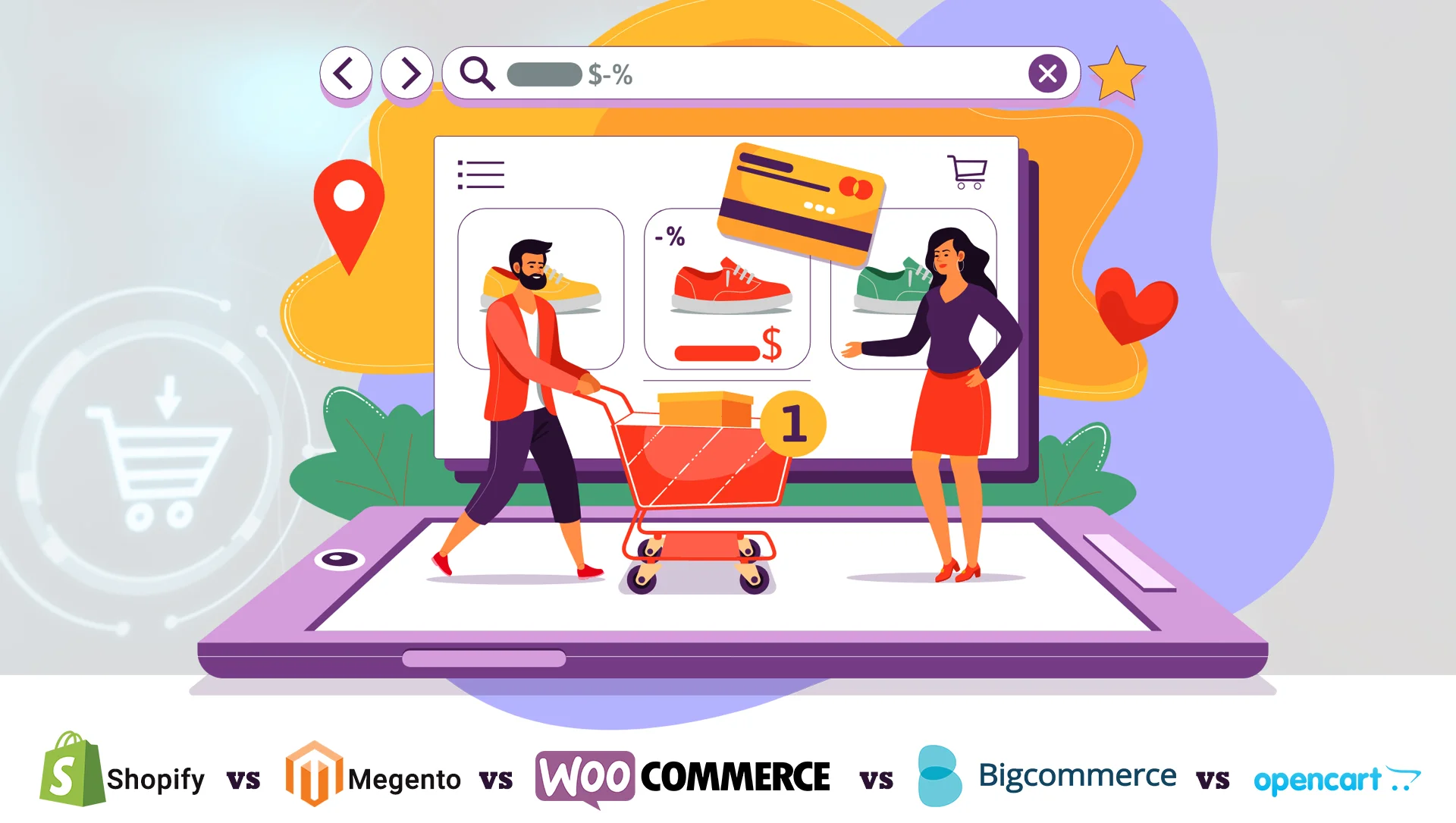
Comparing the best features of various e-commerce development platforms 2021- Shopify vs Magento vs Woocommerce vs Bigcommerce vs OpenCart
Are you thinking about the perfect eCommerce platform that will suit your online store? The discussion for which ecommerce development…
July 2, 2021

Improve Your ECommerce Customer Lifetime Value For Your E-commerce Business with the Best eCommerce Web Development Company!
Follow these highly Effective Strategies to boost your ecommerce customer lifetime value! It is of utmost importance for E-commerce businesses…
June 4, 2021

Indglobal Digital recommends ecommerce website Essentials for designing Your perfect Online Store
“Acquire elegant ecommerce website design and expert marketing strategies with the Best eCommerce Web Development Company in Bangalore” Introduction: In…
May 15, 2021

Enrich Your In-App User Experience with the best Mobile App Developers in Bangalore
“Experiences the best to unlock a higher user engagement, conversion and retention.” Are you planning to construct a new Mobile…
May 11, 2021

Why Businesses Should not Ignore Digital Marketing During the critical phase of COVID-19
Our world is going through a very critical era with the spread of the coronavirus pandemic, and the businesses have…
May 6, 2021

IndGlobal Digital- offering the best quality eCommerce store and custom ecommerce website development services in India
Introduction Building your own e-commerce portal assists you in selling the merchandise on internet at an affordable cost and hiring…
April 28, 2021

Video Conferencing Platform VS LMS for E-Learning
Depending on the current scenario of maintaining social distancing and avoiding public gatherings, instructor-led practices is the only option available…
March 3, 2021

Flash to HTML5 conversion in eLearning Design & Development in Bangalore, India.
There’s a lot of buzz regarding Flash to HTML5 conversion services. If you’re wondering why, there is just one reason….
January 18, 2021

Custom Corporate E-learning Apps & Web development in India
Enhancing skills and providing exposure is critical to any business success. Indglobal Digital contributes to eLearning Software Development in India…
January 13, 2021

Top Mobile apps development, Hire Mobile app developers in Bangalore, India
Indglobal Digital – Your most reliable pal for developing a perfect and elegant mobile application Mobile apps development is the…
December 30, 2020

Mobile App Development services in Bangalore
IndGlobal Digital as a Leading Mobile App Development Company Bangalore providing for Android Apps, Hybrid Apps & iOS Apps “Equip…
December 24, 2020

Top 8 Reasons Why ERP Software is Important in 2020
In the modern era of technologies, no business can grow without systematically utilizing software support to control all business functions….
December 11, 2020

How Does Odoo Integration with Blockchain Affecting Your Business
Odoo Integration with Blockchain Affecting Your Business In the digitalized era of advanced technologies, the market must update itself to…
December 9, 2020

Odoo ERP Gold Partner Support and Services
Experiencing Odoo ERP Gold Partner Support and Services The game of businesses has changed with the advancement of technology and…
December 7, 2020

Next Big Thing In The Mobile E-Commerce World For 2021
A Guaranteed List On The Next Big Thing In The Mobile E-Commerce World For 2021! Mobile Ecommerce World In recent…
December 4, 2020

Reasons Why Email Marketing Is Essential For Ecommerce Business
Reasons why Email Marketing is Essential for Ecommerce Business Post-Covid, businesses are making a fundamental transformation to the digital landscape,…
December 2, 2020
Best ERP Systems for Manufacturing Industry Software Development in India
The Amazing Benefits of an ERP System That Helps In Leading the Manufacturing Industry The continuous technological advancement of the…
November 27, 2020

How Much to create website Design & development costs/prices in Bangalore, India
“How plenty does it Cost to Create a Small Business Website in India?” A website Development Cost is no greater…
November 26, 2020

Difference between E-commerce shopify & Wix website development
Wix and Shopify look like similar products with few features like they are aimed at people without coding skills, help…
November 25, 2020

Four Crucial Stages of ERP Software Implementation
Choosing a new ERP system is a consideration for any organization. Several case studies of companies show that finding the…
October 5, 2020
Top Tricks of Website Design for Small Business in 2020
A good website is the foundation of all online businesses. The website is the platform from where customers get notified…
September 15, 2020

Website Design Services Market 2020 Industry Scenario, Strategies, Growth Factors to 2025
The global web design services in Bangalore market is progressing at a speedy pace owing to the increasing data security…
July 17, 2020

How to Keep Safety From the Deadly COVID-19?
The year 2019 had something novel to make at the end; the outbreak of Coronavirus infection in Wuhan, China, in…
March 12, 2020

The Future of ERP Mystery Revealed
Today, the business landscape is increasingly demanding as technology solves different challenges. Companies that want to keep pace with this…
July 26, 2019
Web Design and Development Company in India
The field of business has been witnessing rapid changes and developments in the constantly evolving market due to a booming…
July 15, 2019

Does Changing WordPress Themes Impact Blog Traffic?
The very simple answer to the aforementioned question would be a resounding “yes”—Yes! Bloggers working with free WordPress themes are…
September 24, 2018
Best Digital Marketing Company in Whitefield
Developing an in-house team to take care of your digital marketing requirements is practically impossible. This is when it is…
November 24, 2017

Website design
Indglobal is a professional Website Design Company in Bangalore for offering affordable web services for the global entrepreneurs. By providing…
March 14, 2017
Best Ecommerce Website Design in Goa
We are a Professional Ecommerce website Design in Goa provides many attractive packages to cost effective website design and best…
September 6, 2016

Website designers in Bangalore & web development company in India
As a reputed website development company in India, IndGlobal is committed to construct robust web solutions for its prestigious clients….
April 11, 2016

website design in bangalore
Indglobal a best website designers in Bangalore and best web developer in Bangalore, we are award-winning web design and digital…
April 11, 2016

Organisational Transformation
Organizational transformation is crucial for businesses seeking success in today’s rapidly changing market. This process entails strategically altering a company’s…
December 28, 2015

Top Web Design Company in India
You will surely need a website for greater audience attraction which will ultimately lead to leads, prospects and customers. Relying…
November 21, 2015

WordPress Website Designing Company in Bangalore
WordPress is most search engine friendly and responsive open source application . At Indglobal , WordPress is our strong suit…
October 29, 2015

Hire best website design company in India
Get the Best Website Development and Design Services in Budget-Friendly Prices Indglobal Digital Private Limited is the name when there…
October 10, 2015
Top E-commerce magento web developers in India
E-COMMERCE MAGENTO DEVELOPERS IN BANGALORE, INDIA Ecommerce – fast growing shopping platform on the internet . Today most of…
September 24, 2015
Best Mobile App Development Company in Rajajinagar
Today we are living in a world of smart phone. The software market is currently over flowing with many various…
September 10, 2015

Responsive Website Design and Development
Indglobal Digital Private Limited is the best responsive website design and development company in Bangalore. It builds device-independent websites that…
September 5, 2015
Frequently Asked Questions
Frequently Asked Questions for Web Design How much time does it take for website development? We make our best efforts…
June 10, 2015
Top ecommerce web design and development company in bangalore
We at Indglobal answer Top ecommerce web design and development company in bangalore offers solutions to United Nations agency those would really…
April 16, 2015
Best web design and development company bangalore
Best web design and development company in bangalore, India We at Indglobal believe that web site development is a…
April 13, 2015

Best software development solutions services company in Bangalore, India
Indglobal e-business approach focuses on building associate integrated, tailor-made e-business resolution for purchasers. we have a tendency to follow a…
April 10, 2015

Best Website Design & development company in India | Hire web developers
Website development refers back to the work that goes into constructing an internet site. This may observe to whatever from…
April 6, 2015
Web Design in Koramangala
Web design is the first stage in building a website and is the graphical representation of what a website will…
February 12, 2015
Website Design in Peenya
Our net applications area unit sort of a castle, effulgent by appearance and sturdy by structure. If it doesn’t answer…
February 11, 2015

HMTL5 Applications Development Company in Bangalore, India
Indglobal is Most Awarded Company in HMTL5 Applications Development HTML5 coupled with jQuery is used for constructing cross-platform cell apps….
January 23, 2015
Website Redesigning Bangalore
From small to portal website redesign services in India by skilled designers with in depth knowledge of visuals, graphic…
January 6, 2015
CMS Web Hosting
Looking for quick, secure and reliable CMS Hosting? Look no additional than Arvixe for all of your internet hosting connected…
December 26, 2014

Cloud hosting services provider company in Bangalore, India
Cloud hosting services give hosting for net sites on virtual servers that pull their computing resource from in depth underlying…
December 26, 2014
java application development company India
Meet the top Java web application development company in India, Indglobal Digital Private Limited that helps customers get end-to-end solutions…
September 25, 2014
Best web design company India
Best web design company India No matter how tempting or ingenious your business, if there is no way for your…
September 9, 2014

Best SEO Company in Bangalore
Are you in search of a top SEO company in Bangalore? You are at the right place. Indglobal Digital Private…
August 2, 2014

Website development at affordable price in Bangalore
Online shopping has emerged as the new ruling trend for today’s tech savvy generation and naturally it has become imperative…
July 26, 2014
Best design and development company
Best design and development company based mostly web site style company giving innovative and interactive net applications, web site styles,…
July 24, 2014

Software development designers in Bangalore
Developing a website or web application that meets the business requirements of an organization is essential for survival in the…
July 8, 2014

Best website designers in bangalore
Are you looking for the best website designers in Bangalore? so you are in the right place. No matter if…
July 7, 2014
Domain Registration in Bangalore
The domain name registration can be an firm as well as professional organization that copes with the booking connected with…
May 16, 2014

WEB DESIGNING COMPANY KORAMANGALA
Design a stunning website for your online business in Koramangala, using creative web designing solutions for your success. Web Design…
October 4, 2013

Web Designing Company Vijayanagar
At Indglobal Digital Private Limited, our web design team offers development using various platforms such as WordPress, PHP, Angular, Node,…
October 4, 2013

Ecommerce Website design company Bangalore
Indglobal is a trusted Ecommerce website design company Bangalore, we have good experience in designing shopping carts, a quantity of…
September 2, 2013

Bootstrap Web Development
Utilize Bootstrap to create useful and faster websites. Bootstrap is a Twitter toolkit for creating websites and web applications. Bootstrap…
August 14, 2013

Benefits of IPhone App Development
Introduction to development of iOS Apps- Mobile apps are emerging as an essential component of an ecommerce business strategy. Apple…
August 14, 2013

Zen Cart Development Services Company in Bangalore, India
Zen Cart E-commerce Services– putting the online business ownership dream within people’s reach. Zen Cart is a free, open-source, and…
August 14, 2013
OS commerce Development, ecommerce website development in Bangalore, India
OS Commerce came into existence here in March 2000, and presently at INDGLOBAL we are working with today’s model of…
August 14, 2013
Ecommerce website design in bangalore
Indglobal is a best Company to provide E-commerce website design and development solutions located at Bangalore, India. It is the…
August 14, 2013

Customer Support
Indglobal Digital Private Limited has been delivering website maintenance and services to its customers in various industries for around ten…
August 13, 2013

Website Solutions, Website Design & development in Bangalore
Why does a business require an online presence? Why is it crucial in today’s technical world? Why social media marketing…
August 8, 2013

Website Designing Company in Dubai, UAE
A website helps you enhance your brand’s reach and visibility. At Indglobal Digital Private Limited, we have delivered several successful…
August 8, 2013
Request a quote or Talk to an expert
We guarantee a response in 6 hours or less. And the best bang for your buck.